
Togle
$0
- Manage agents and to-dos on one computer
- Dictate into your apps
- Transcribe meetings on your computer
- Use local features without signing in
Free and open source
See what Claude Code, Codex and Hermes are working on and which tasks need an answer. Dictate a reply, capture a meeting to-do or give the next task to an agent.

Togle's To-do screen. What your agents need from you sits on top, and you can use F9 to add a to-do by voice.
Works with the agents and call apps you already use
Agents
Open a project to see its agent tasks. Read a question, check the command an agent wants to run, or use F10 to start another task.

Togle works with Claude Code, Codex and Hermes as they are on your computer, and each keeps its own sign-in. Their tasks keep running when you close Togle. You can add other agents from a list in Settings.
Voice
On Windows and Linux with X11, hold F9 while you speak and release it to finish. On Linux with Wayland, press F9 to start, press F9 again to stop, then paste your words.
Connect your AI account to remove filler words, add punctuation and follow a correction you make while speaking.
Is Thursday still OK for the Acme demo? I can move it if needed.

Meetings
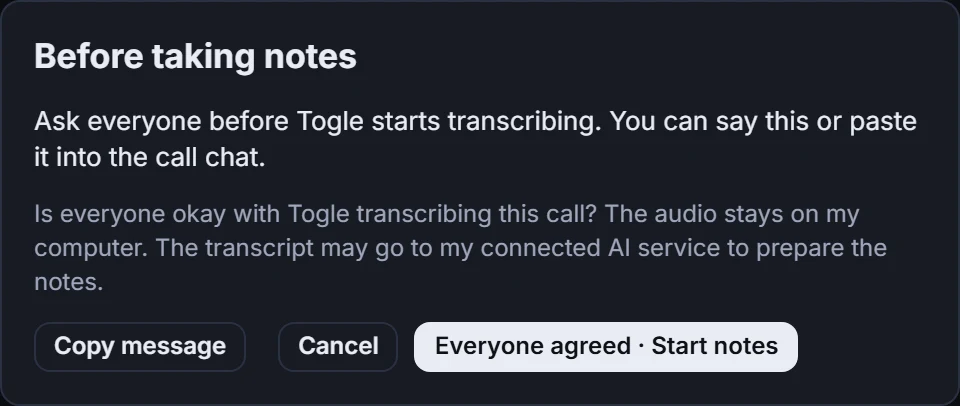
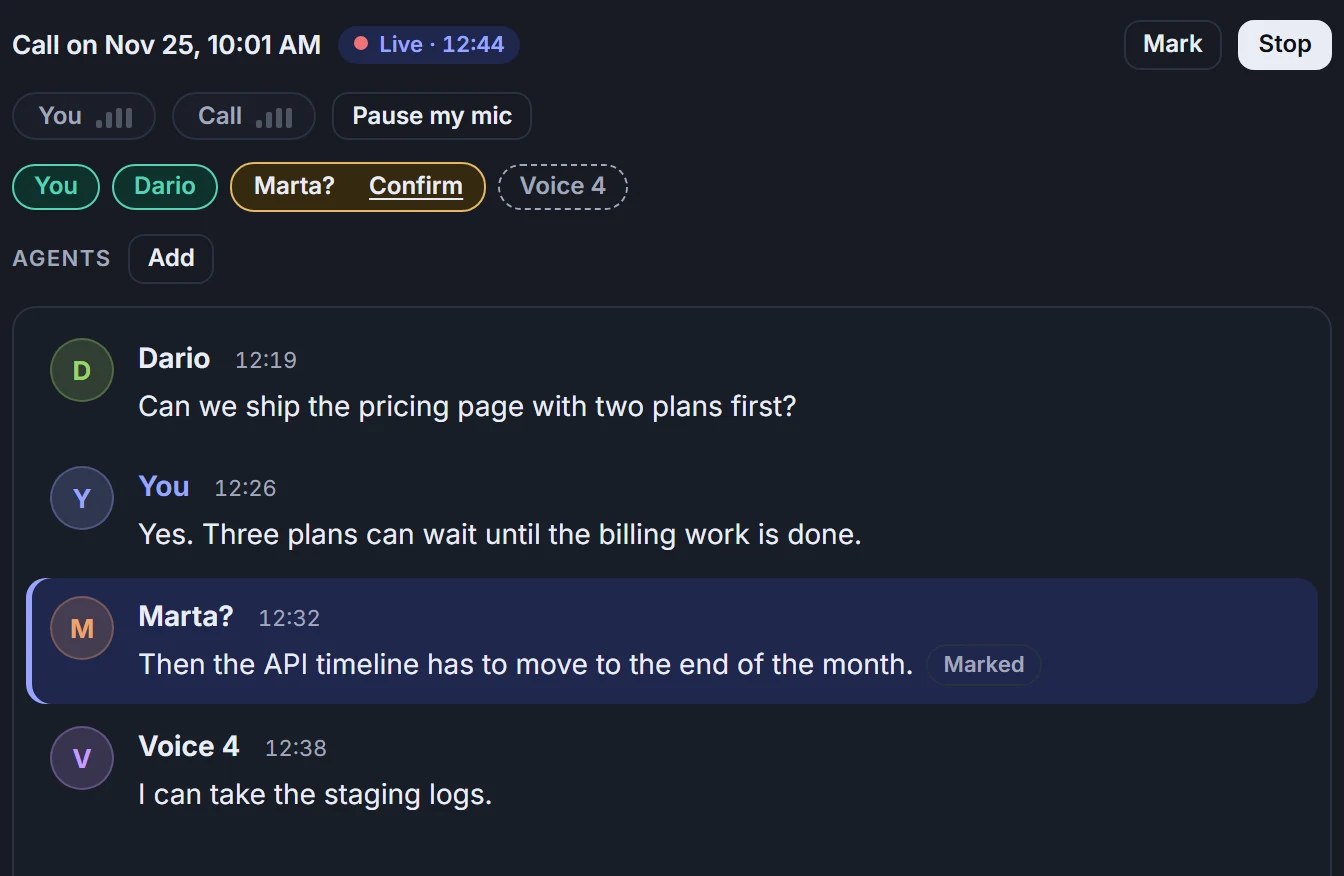
Togle hears your microphone and the sound your computer plays. Nothing joins the call, and the sound never leaves your computer.
Togle and Togle Pro
$0
Each agent uses its own provider account. For meeting summaries and edited dictation, connect an eligible ChatGPT plan or an API key. Your provider’s limits and rates apply.
Get an email when Pro is ready. You can leave the list at any time.
You can also join from Togle Beta 4. Open Settings → Accounts → Togle account, sign in, then choose Join waitlist.
Privacy
Togle transcribes your calls and your dictation on your computer. Nothing is uploaded to transcribe them.
Notes and cleaned-up dictation come from your own AI account. Togle runs no AI servers of its own.
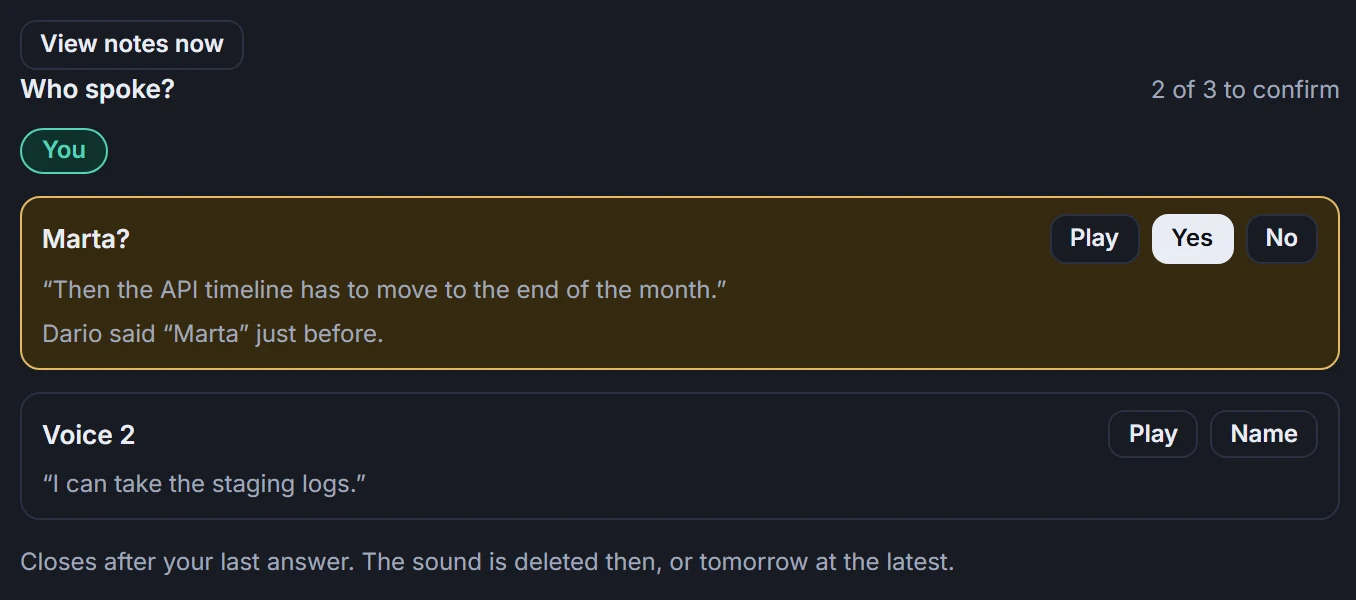
Short speaker clips stay encrypted on your computer for name confirmation. Playback expires after 24 hours. Togle removes expired clips during cleanup while running or when you reopen it.
Togle is under the MIT license. You can read the code on GitHub and see what it does.
FAQ
You can use local agents, dictation and transcripts without signing in. Your account lets you manage your place on the Togle Pro waitlist. In Togle, open Settings → Accounts → Togle account, sign in, then choose Join waitlist. The same account will work in Studio when it launches.
Connect an eligible ChatGPT plan, such as ChatGPT Plus or ChatGPT Pro, or use an API key from your AI provider. Your provider handles the billing. Basic dictation and local transcripts work on their own.
No. Togle runs on your computer. It hears your microphone and the call sound your computer plays. Nothing joins the call, and nobody else has to install anything.
Yes. Togle writes down what the other people say, and many places require their consent first. Before it listens, Togle asks you to confirm that everyone agreed, and it gives you a line to say or paste in the chat.
Claude Code, Codex and Hermes, as they are on your computer. You can add others from a list in Settings, and an agent that only runs in a terminal runs in a terminal inside Togle.
Togle supports Take over for Claude Code sessions running in your own terminal. Choose Take over to answer in Togle, then Hand back for the command to resume in your terminal.
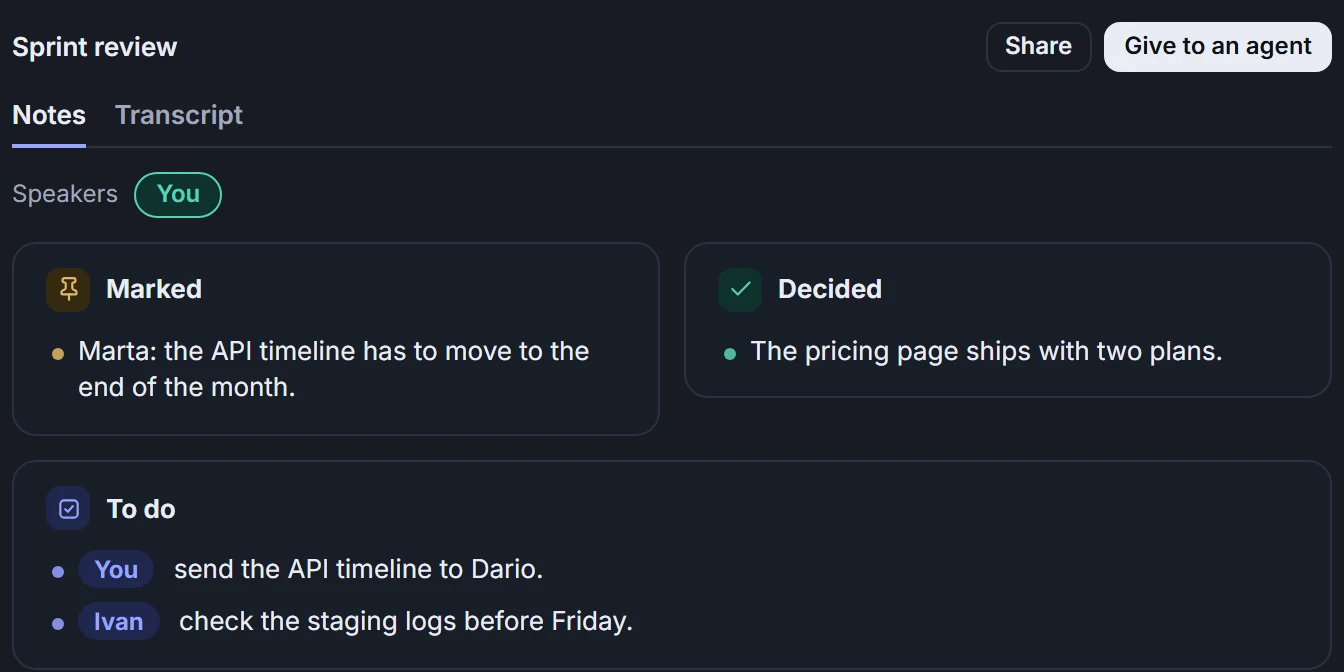
Togle transcribes speech and stores meeting transcripts on your computer. To write notes or clean up dictation, Togle sends the words to your AI provider. When you hand a call to an agent, that agent gets the words too.
Windows 10 and 11, and Ubuntu 22.04 or later, on a 64-bit Intel or AMD computer. A Mac version is in testing.
Yes. Togle costs $0 and is open source under the MIT license. Your own AI provider's limits and charges still apply.

Install the desktop beta and open Agents to see the tasks on this computer.
Or install by command
powershell -NoProfile -Command "iex (irm https://togle.app/beta/install.ps1 -ErrorAction Stop)"curl -fsSL https://togle.app/beta/install.sh | shTogle is for a Windows or Linux computer. Open this page there to install it.
Beta 4 · Release notes · MIT license · Source on GitHub
